
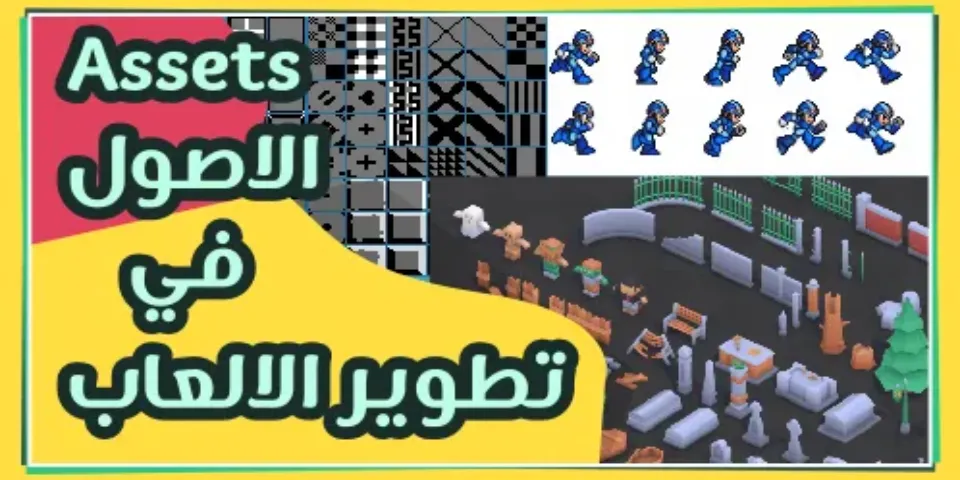
In game development, there's something called Assets: the resources and files used by developers to build their games, such as images, models, sounds, fonts, visual effects, and even code
| The word "Asset" in the dictionary: it comes from Latin assetum, related to adsatis meaning "sufficient," and refers to a resource of value that something else is built upon. |
|---|
In this article, we talk about assets: what benefits they offer, where to get them, and whether you're free to use them under the topic of "licenses," along with some general tips on handling assets in your games
I should note I'm talking about ready-made assets here, not ones you design yourself
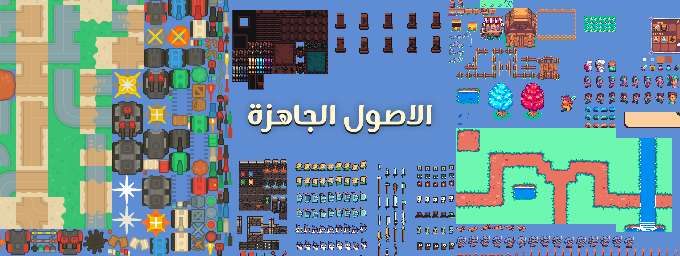
Benefits of Assets
The benefits of assets in game development include the following:
Saving time and effort: ready-made assets can be used instead of creating everything from scratch, saving a lot of time and effort
Improving game quality: high-quality assets can help improve how the game looks, such as realistic 3D models and high-resolution graphics, which overall improve the game's quality
Improving performance: some asset designers always pay attention to optimizing their designs for weaker hardware, so you'll find your own personal designs consume more device resources compared to ready-made assets
Scalability: a developer can use assets to easily create new content, such as using the same 3D models to create different characters or the same designs to create new levels
Relatively cheap: if you decide to hire someone to create these designs, it could cost you a lot, but ready-made assets tend to be cheap since they can be sold repeatedly, so they won't cost as much as hiring a designer
In short, assets help game developers build their games without needing to produce everything themselves, saving time and effort for other things. But be careful — you should use ready-made assets wisely and not overdo it!
When to Use Assets
"Too much of a good thing" is the famous saying that explains the use of ready-made assets — a game developer shouldn't overuse assets, because overusing them can turn your beautiful game into the kind of cheap game nobody likes
There are two situations where a developer can use assets without worry:
- Prototyping: the stage where you build a simple model of your game. Instead of building everything from scratch, using ready-made assets is enough to reach a testable result, so you can play your game and see whether it's fun or not
- Saving time: sometimes it's easy for a developer to design something — they know exactly how to design it — but it takes up time, so it's better to use an asset instead of making it from scratch. Either the designs are very easy but numerous and take time, or they're full of details that take time to finish
The point you should be wary of, dear developer, is when you're actually unable to make something yourself. Even though downloading it is easier, that can end up making the game look bad — I talk about this point in more detail at the end of the article
Ready-Made Asset Sites
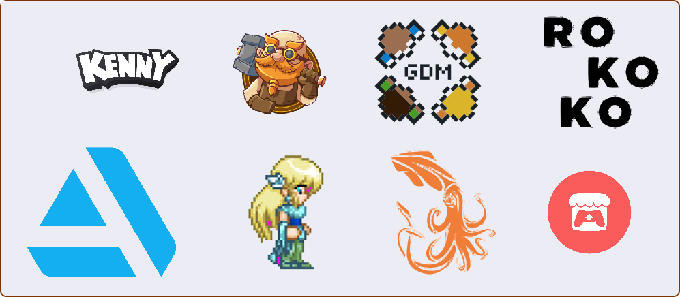
There are many platforms dedicated to publishing assets, some free and some paid, and each asset pack also has its own license — some let you use them freely in, say, educational games, but you can't profit from them, and some you buy and get full rights to do whatever you want with
Let's first talk about how to get assets, then look at licenses. Here's a small list of 8 different platforms offering free and paid assets, with what each one provides marked in green:
| Site | 2D | 3D | Tiles | Animation | Effects | Sounds | UI Icons |
|---|---|---|---|---|---|---|---|
| turbosquid | 🔴 | 🟢 | 🔴 | 🟢 | 🟢 | 🔴 | 🔴 |
| Open Game Art | 🟢 | 🔴 | 🟢 | 🟢 | 🟢 | 🟢 | 🟢 |
| kenney | 🟢 | 🟢 | 🟢 | 🟢 | 🟢 | 🟢 | 🟢 |
| Rokoko | 🔴 | 🟢 | 🔴 | 🟢 | 🟢 | 🔴 | 🔴 |
| itch | 🟢 | 🟢 | 🟢 | 🟢 | 🟢 | 🟢 | 🟢 |
| craftpix | 🟢 | 🟢 | 🟢 | 🟢 | 🟢 | 🟢 | 🟢 |
| Artstation | 🔴 | 🟢 | 🔴 | 🟢 | 🟢 | 🔴 | 🟢 |
| gamedevmarket | 🟢 | 🟢 | 🟢 | 🟢 | 🟢 | 🟢 | 🟢 |
This is just a small group of sites that offer assets — there are also other sites specialized for a specific game engine. Just search your engine's name alongside the word "Assets" or "Store" and you'll find its dedicated site
Different Types of Licenses
A license is text that dictates how you're allowed to use something. For example, if an audio file has an "exclusive" license, that means you can only use it in one project and can't give it to anyone else
Ready-made assets always come with a license created by the original designer or publishing platform, and you should always read it, or at least understand what it states
You can find licenses either alongside the files, on the page you got the assets from, or the entire site/platform may have its own license that all its assets follow
Unfortunately, not all licenses can be covered in one place, but I'll mention the most common ones and what you can do with them:
Creative Commons (CC) Licenses You can do whatever you want with these assets, but you can't use them in commercial games (i.e., profit from them)
GNU General Public License 3.0 (GPL) Requires the developer to release an open-source version of their game, meaning everyone can see the code, files, and more
MIT License From the Massachusetts Institute of Technology, a free license that grants you absolute freedom to do whatever you want with the assets
Apache License Similar to the above, but it requires you to credit the asset's creator within your work
WTFPL To be honest, the license's full name isn't exactly polite :) — in the end, it's similar to the MIT license
With an understanding of the different license types, you can now figure out what's suitable for your project and work, so let's move on to a few small tips about handling assets
Modifying Assets
Sometimes you'll find the assets you got aren't quite right for you, and you may need to tweak a few things — maybe you want to change a character's hair color, resize an icon, or trim a sound clip to fit your needs
The vast majority of licenses give you the freedom to modify assets, so once you've confirmed you have that freedom, you can do whatever you want
Modifying assets is a smart move on the developer's part — if every developer uses the same assets, your game won't stand out with its own artistic direction, so tweak them however you see fit, whether out of necessity or just to make them stand out from other games
So always make sure the source files exist (svg, psd, ai, etc.) so you can modify those assets at your convenience
All of this means you need to learn some design, sound engineering, and programming skills — or at least the basics, like how to change colors, sizes, cropping, and much more
Tips
With so many asset stores available, you won't always find files organized and structured neatly for you — you might find a lot of unnecessary files bundled alongside the ones you actually need
If you only need the player character from an asset pack, make sure to only keep that character's related files in your project — there's no need to include the whole pack, as that can hurt performance and bloat your game's size for no good reason
Since these files come from different sources, always try to set your own naming and organization conventions. If you decide to use a naming style like PlayerWalkAnimation, make sure all your files follow that style, especially if you're working with someone else
Also, note down where you originally got each asset from as much as possible — not just the platform's name, but the link to the asset itself, or at least keep the correct pack name, since you may need to go back for similar assets
Finally, make sure all the assets you get are compatible with each other — don't mix realistic-style assets with cartoon-style ones; always try to make sure they match in artistic direction