
You probably already know how computer screens display the shapes and colors on them. There’s a unit called a “Pixel,” a very small square of a single color. With enough of these pixels together, shapes appear and the image you want takes form
In the past, screens were genuinely small—or rather, they could only hold a certain number of these pixels—so a style of drawing called pixel art emerged, a way of displaying what you need with a very limited amount of workspace; just 16 pixels wide by 16 pixels tall is enough to show you a character, a tree, a rock, or anything else
This used to be the method used to create game graphics, for the hardware limitations mentioned above, and as technology advanced, there was no longer any need to use that approach, but indie game developers had a different opinion
Now this drawing style has turned into an art form of its own, and it remains widespread among game developers to this day, with players still loving it over many other types of graphics
Why Pixel Art Is Popular
In psychology, there’s something called “nostalgia,” meaning a longing for the past, and this is one of the most important reasons pixel art is still popular with the current generation. Its popularity doesn’t stop there, though; there are two other factors that have made this art form spread even further
The first is how easy it is to work with, and consequently how easy it is to produce games with it. So if a game developer has a beautiful game idea and makes it using pixel art, this drawing style will spread even further
The second factor is mastery of this art form. While it used to be used because there was no other option, it can now be used professionally to create artwork that’s far more than just decent
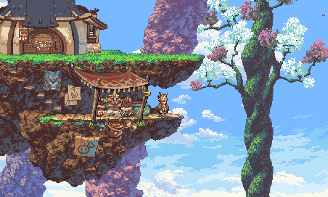
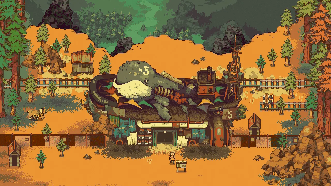
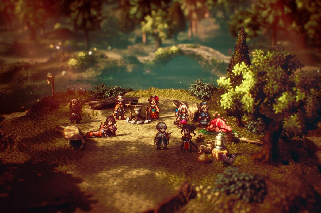
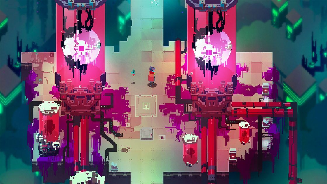
Image sources: Owlboy, Octopath Traveler, EASTWARD, Hyper Light Drifter
But the first reason is the most important one, because with such a small workspace (16*16 - 32*32 - 64*64), every pixel plays an important role in the overall piece, so there are no unnecessary details—everything has a purpose, which lets artists cut down on their working time
Learning Pixel Art
If you like this drawing style and want to learn it to start developing your games, learning pixel art can be broken down into 3 points:
- Software: the tools you use for drawing
- Drawing concepts: such as shading, lighting, lines, perspective, colors, and more
- Learning: gaining an understanding of this art form’s characteristics and how to execute some of its ideas
Software
Some pixel art software is highly specialized for this field, while some is more general-purpose—any 2D graphics program is enough to create beautiful pieces, such as Photoshop, GIMP, or Krita
The software’s only real purpose is to give you the tools you need to place a “pixel” inside the canvas in the color you want, so in practice you could even use a program like Paint, which comes bundled with Windows, to draw pixel art
That said, here’s a list of the most important programs (and websites) you can use for pixel art
Aseprite: a popular choice among pixel artists, featuring a wide range of tools including layers, advanced editing tools, and animation support, but it isn’t free except through special means
Pyxel Edit: a free option available on Windows, macOS, and Linux. It has a simple, easy-to-use interface, making it ideal for beginners
Paint.NET: a free image editor that can be used to create pixel art, but it’s only available on Windows
Pixel Studio: software specialized exclusively for pixel art, unfortunately not available on Linux
PiskelApp: a website that lets you draw pixel art directly in your browser without downloading anything
GraphicsGale: free software with several features, including the ability to build pixel animations
And remember, these programs are nothing more than tools to help you—just pick one and start learning it
Drawing Concepts
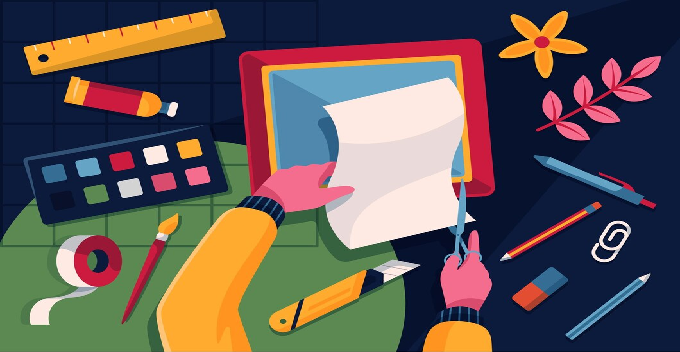
Whether you decide to work in 2D or 3D, digitally or with a pen, whether it’s pixel art or something else, you need to understand some graphics fundamentals
These include shading and lighting, which let you highlight certain parts of your drawing, clarify and present it as if it were three-dimensional, or at least convey the density or bulk of an object
These concepts can be broken down as follows:
- Lines: the foundation of any drawing, used to define shapes and outlines, and to express the artist’s feelings and the piece’s sense of motion
- Shape: the basic structure of a piece, made up of lines and geometric forms such as squares, circles, and triangles
- Composition: the arrangement of elements within a piece, including the distribution of shapes, spaces, and colors, to create a sense of balance and harmony
- Perspective: a technique used to create the illusion of depth on a two-dimensional surface, showing the distances between objects and defining their size
- Lighting: the light source within a piece, which determines the shape of shadows and affects the appearance of colors
- Shading: a technique used to create varying degrees of darkness and light, giving a piece depth and realism
- Color theory: the study of colors and how they interact with one another, used to evoke specific feelings and direct the viewer’s eye
- Pattern: the repetition of elements or motifs within a piece, creating a sense of unity and cohesion
- Contrast: a clear difference between elements in a piece—in color, size, or shape—that helps draw the viewer’s attention
- Expression: the artist’s ability to convey their ideas and feelings through the drawing, using different artistic elements
Whatever area of graphics you choose, you’ll need to learn and practice these concepts, and pixel art is no exception
Learning Pixel Art
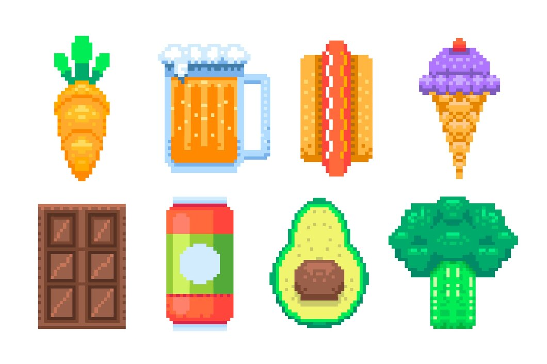
After choosing the right software and learning the most important drawing fundamentals, you can finally start learning pixel art itself, by understanding how to draw different shapes (circle, sphere, rectangle, triangle) as well as materials (wood, metal, cloth), all the way up to drawing characters and buildings
Learning pixel art doesn’t happen overnight—it comes through daily practice on specific ideas, then reshaping them with any new knowledge you pick up. If you learn a new lighting technique, try applying it to your older drawings
And most importantly, there’s visual reference: looking at a lot of other artwork related to what you want to draw. Decided to draw a chicken? Search for pictures of chickens, real or pixel art alike—this way you’ll notice techniques you hadn’t seen before
The Difference Between Pixels and Voxels
A pixel is a small square of a single color, while a voxel is a small cube of a single color. Unfortunately, many people mix up voxel art, and although it’s quite similar to pixel art, they’re wrong whenever there’s any specific artistic direction involved
Two games in particular stand out here. The first is Minecraft, which is not voxel art—it uses large cubes with a texture drawn using pixel art on them, and since a voxel is defined as cubes of a single color, Minecraft doesn’t qualify as voxel art
The second game is Fez, where players assume it’s drawn with pixel art, but since it’s a 3D game, that’s not accurate—there are cubes that make up the world, making it a voxel game
However, its characters are two-dimensional, so only its characters are pixel art
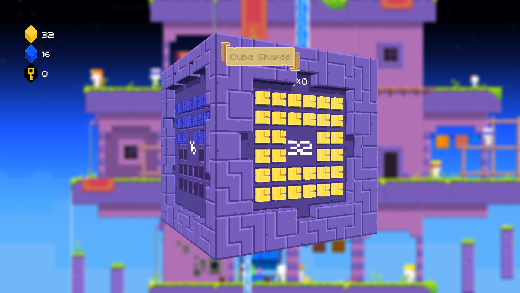
For more on voxel art, you can check out this article on the platform, which covers the different types of graphics used in games
| What Are the Different Types of Graphics Used in Game Development
Summary
Pixel art is a digital art style that uses small square units called “pixels” to create images. This style originated from the limitations of early computers, which couldn’t display a large number of colors or details
Pixel art is still popular for several reasons, including nostalgia, ease of use, and its unique aesthetic
In conclusion, pixel art is a beautiful, expressive art style that’s still popular today, and it’s an accessible way for indie game developers to create art if they don’t have the ability to produce professional artwork