

One of the most common problems in game development—one I see a lot in indie games, especially those made by developers new to the field—is the quality of the game's visuals
The graphics often end up inconsistent, or fail to properly represent the game. Usually, the developer assumes the problem lies in their own drawing skills, and their inability to create beautiful graphics
But of course, this is a big mistake. It doesn't take advanced drawing skills to create beautiful visuals—all it takes is a few simple visual tricks that anyone can pull off, turning your game's look into something beautiful in simple ways
In this article, we'll go over those simple methods and tricks, along with a set of core ideas that will improve your game's look overall
This article covers 10 of those tricks and techniques, and the whole process starts with defining your game's requirements
1- Decide What You Want
Knowing what you want from your game is the most important thing in the whole process, because it's what determines what you need and what you don't, what you add and what you don't
For example, just because your game is an adventure game doesn't mean you simply throw in adventure elements and call it done—maybe you want serious adventures, action-packed adventures, or even cute little-creature adventures, and there are plenty of other examples
But what matters most is how you want the user (the player) to feel
So if the genre is action, do you want the player to feel excitement, fear, or a sense of adventure? Or, say, if it's a cute little-creature adventure, does that mean you want them to feel a sense of cuteness, or do you want them to grow attached to the characters and love them enough to worry about them?
Do you want them to feel a warm, cosy feeling, or a hot one that evokes summer, or is it a calm game that gives them that relaxed, peaceful feeling?
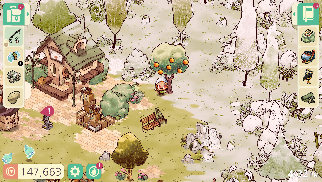
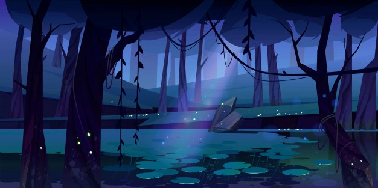
Once you know your game's genres and the feelings you want to convey to the player, only then will you know how to handle the rest of the game's visual matters
And here begins your second step: looking at more games similar to what you want
2- A Similar Game
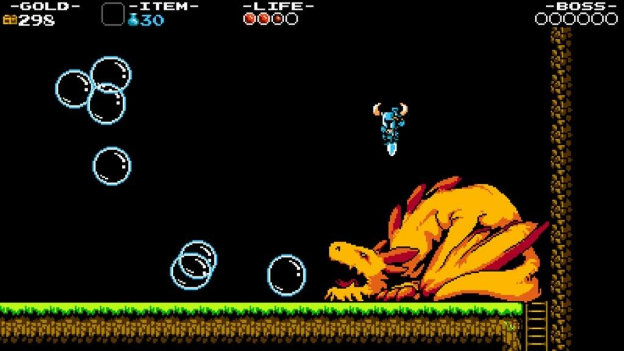
One of the most important ways to improve your game's look is to play games similar to it. This isn't just about experiencing the gameplay and seeing how something programmatic like jumping or opening a door works—it's also about seeing the visuals and what they look like
You can easily observe the visuals of other games similar to yours, whether in terms of the idea or the feelings you want to convey to the player
You can then make a list of games similar to yours and identify what makes them stand out, and maybe even watch some of their development process, so you understand why and how they created a particular scene
A quick note
It's not just about playing similar games—there are plenty of other works that can raise your awareness about your own game. Watching movies that convey the same feeling you want in your game can be a good idea too
3- Colors
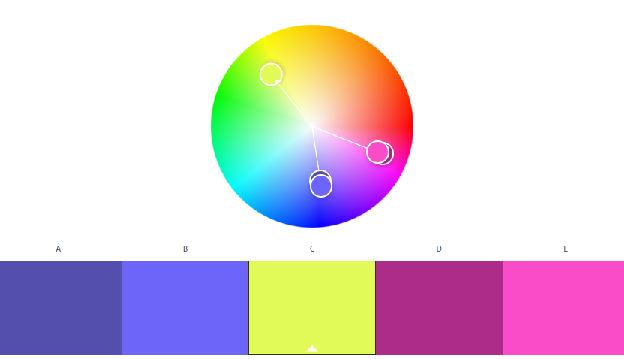
We can never sum up the topic of color in a few light lines, so you'll find this method a bit longer, because color is the core element that everything else builds on—none of the upcoming methods will be free of color
A large part of the feelings and the play experience you want to convey to the player can be delivered through color—you can make them feel gloomy with dark colors, and joyful with bright colors
But for someone with no background in graphics, it will be hard to learn everything about color theory, and about how to choose the right colors for the right thing. Even if you settle on the right colors for you, that doesn't mean you'll be able to pick the right shade
And even if we manage to pick the right shade, what shades of other colors go well with the first one? Is red good with green, or better with blue? So there's a lot of complexity in this
There are plenty of websites that can help you with this—all you have to do is pick the base color you want, and the site will give you colors that go well with it. Other sites give you ready-made palettes
From my experience, I found 3 color websites that are the best at this, as follows:
- Color Hunt The site has ready-made palettes you can pick from that suit you. Although it's aimed at web development, you can still find things that work for you
- Adobe Color Adobe is known for its graphics software, so it's no surprise it offers a powerful color-picking tool suited to designers. But as a game developer, you can also use it yourself—pick the base color you like, and the site will suggest more colors that go well with it
- Lospec The site has a lot of palettes made specifically for games, especially those using pixel art. You can go in, grab the palettes you like, and build and design your game around them
4- Lighting
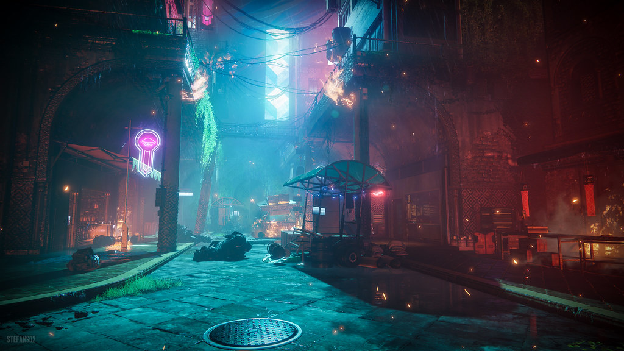
What is the player trying to reach? Where is the player themselves? Is that really fire, or the light of a lamp? All of these questions can be answered in different ways, but what ties them all together is light
You can make the player focus on a specific part of your scene by adding lighting that points in that direction—for example, adding a fire's glow in the middle of darkness so they know that's the path they should take
Adding lighting to the player themselves makes them stand out among the rest of the elements and be clearly visible against the background and other game elements. The same goes for enemies, so the user—or player—knows that this is an entity they can interact with
Lighting is the core element that brings your scene to life—everything has its own energy, and lighting is what reveals that
So next time you're building a scene and placing an element in it, stop and ask yourself first: Does this element have energy? If the answer is yes, then add lighting that reflects how much energy it has
5- Visual Effects
We can say that visual effects (VFX) are what add a sense of liveliness to a game Notice, for example, how just adding visual effects to running can give it a much better feel—particles
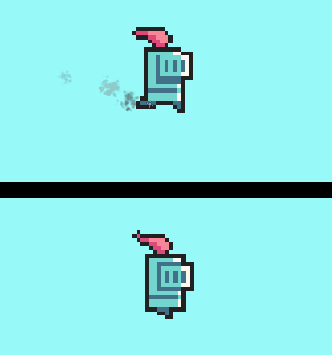
You can add particles to almost anything to make it feel alive and in motion, because you're tying the world together with those effects
For example, fire on its own can feel dry, but if you add particles for sparks and smoke coming off it, the user feels that it's real fire, affected by the world around it
Visual effects aren't just particles either—they can also be things like camera shake or weather elements like wind and rain
6- Motion and Animation
As a game developer, you're making video games, and as the name suggests, "video" implies motion That motion is what makes video games different from simply animating a few images and calling it a game
If your scene has no motion whatsoever, and it's all made up of static objects, the player will feel like it's just a picture, not a video game
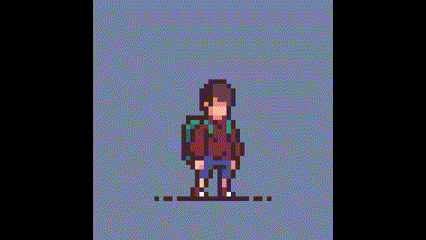
That's why you need to add those motion elements—for example, add idle animations for when the player is standing still, like looking around every few seconds, showing signs of breathing, or maybe sitting down on the ground after a short while
Or, say, add clouds, wind, or birds moving left and right
Or if the scene is a cave, you can add rats that scurry around from time to time, or add water dripping from the cave walls—part of this relies on the visual effects we discussed in the previous section
The important thing is to fill your game with motion even when the player is standing still, so it's clear it's actually a video game and not just a static image
None of these motion techniques require advanced graphics skills—you can pull them off easily and find ready-made resources without much trouble
7- Consistent Assets
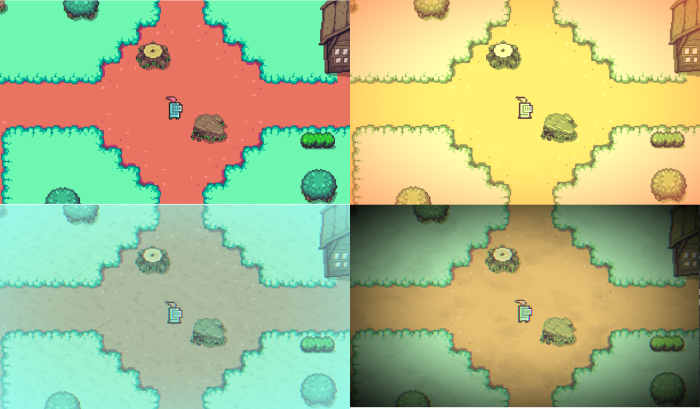
This is a very common problem: beginner developers download free assets from the internet and use them directly in their game, even though those assets are inconsistent and completely different from one another
Some are in a cartoonish low-poly style, others are realistic, and what gives away this kind of game the most is the UI (buttons, health bars, and so on)
Of course, using ready-made assets isn't the real problem—the problem is when they aren't consistent with each other. So next time you use ready-made assets, make sure they meet these criteria:
- Do those assets have everything you need or not
- Can you get the missing pieces from somewhere else and have them stay consistent with the first set or not
- Can you make the missing pieces yourself and keep them consistent or not
So always try to either get assets you can make yourself—even if it takes some time, since that means you can make the missing pieces in the same style
Or make sure you can get everything you want for your game in the same style as those internet assets
Or change your approach entirely and look for assets whose missing pieces you can get elsewhere while staying consistent with the original set
8- Post-Processing
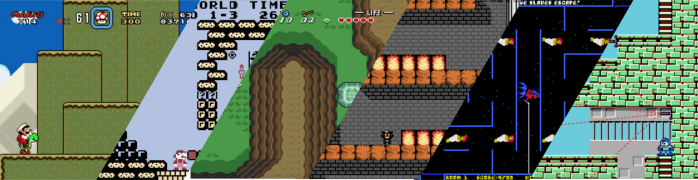
Post-processing is a technique that modifies images and scenes, applying certain fixed visual effects to them, such as changing the image's colors, removing blur (or even adding fog), or adding dark vignettes to the screen
In the end, this produces a fully adjusted image or scene with a lot of improvements
Most game engines already have this technique built in—you can add fixed visual effects with the press of a button, giving your game a large set of effects, like the ones in the picture, in an easy way
Recently, many developers have started using this method to improve their game, even if their game is just simple geometric shapes—post-processing completely improves it and turns its look into something far more impressive
9- Level Design
Even though we've talked about colors, lighting, effects, motion, and more, you'll notice that we've mostly been talking about the game's visuals and graphics in general
But part of the (visuals) is the level design itself. If the scene or level's elements (trees, houses, etc.) are placed well, that will make the game itself, and its look, good
But if they're placed randomly, that becomes a problem, and the game will look bad
There's a lot of advice and solutions on this topic, but I'll share two tips for level design to help with this problem:
1- Remove empty space Try as much as possible to fill those empty areas in your game with something, or reduce those areas as much as possible. Simply moving the camera away from empty areas is often enough to make your scene look better
2- Standout objects Whenever you add new objects to your game, make sure they stand out a little from the world—whether by putting an outline around them, adding lighting as we discussed earlier, or even changing their color—so they start to stand out and be noticeable against the rest of the world
10**- Feedback**
A big part of the strategy for success in any field in general is to get as much feedback, suggestions, and criticism as possible
So as a game developer trying to turn your game into something great, you should show your scene or game to people you know or to game development communities, and try to get as much feedback as possible
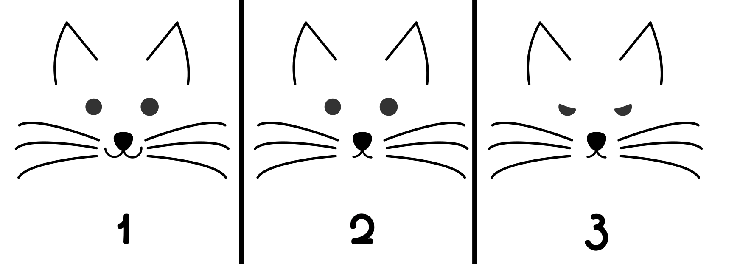
But more important than that is making sure you ask the right questions. For example, in this picture
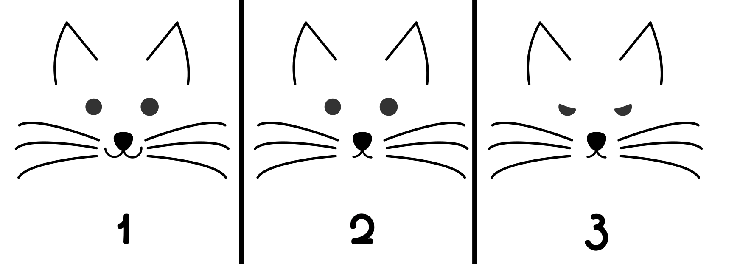
Don't ask "which face is better?" or "what do you think of these faces?", because that usually won't give you the real answer
If you ask "which face is cuter?" you'll usually get answer number 1, and if you ask "which face looks more serious?" you'll usually get answer number 3
So make sure to ask the right questions about exactly what you want from your game
In Closing
I think you now have some ideas and simple tricks you can use in your game, but that doesn't mean this is the end
There's still a lot more to say about every point we discussed—some people spend their whole lives studying these topics, always trying to discover something new in them
And as you've noticed, all the tricks and methods we've discussed rely heavily on the feelings you want to convey to the player, which is why it was important to emphasize that
And of course, if you want to know more about these points, feel free to reach out to us or leave your thoughts on the topic—which point do you agree with the most, and which one do you think doesn't belong on the list?